
DOP-C02 SDLC Automation
SDLC = Software Developer Life Cycle
Different tools for AWS CICD
- AWS CodeCommit (git repo, deprecated)
- AWS CodePipeline (the overal workflow controller for CICD)
- AWS CodeBuild (building and testing)
- AWS CodeDeploy (deployment tool)
- AWS CodeStar (software development activities in one place)
- AWS CodeArtifact (repo to store compiled packages/artifacts)
- AWS CodeGuru (AI tool for code review)
-
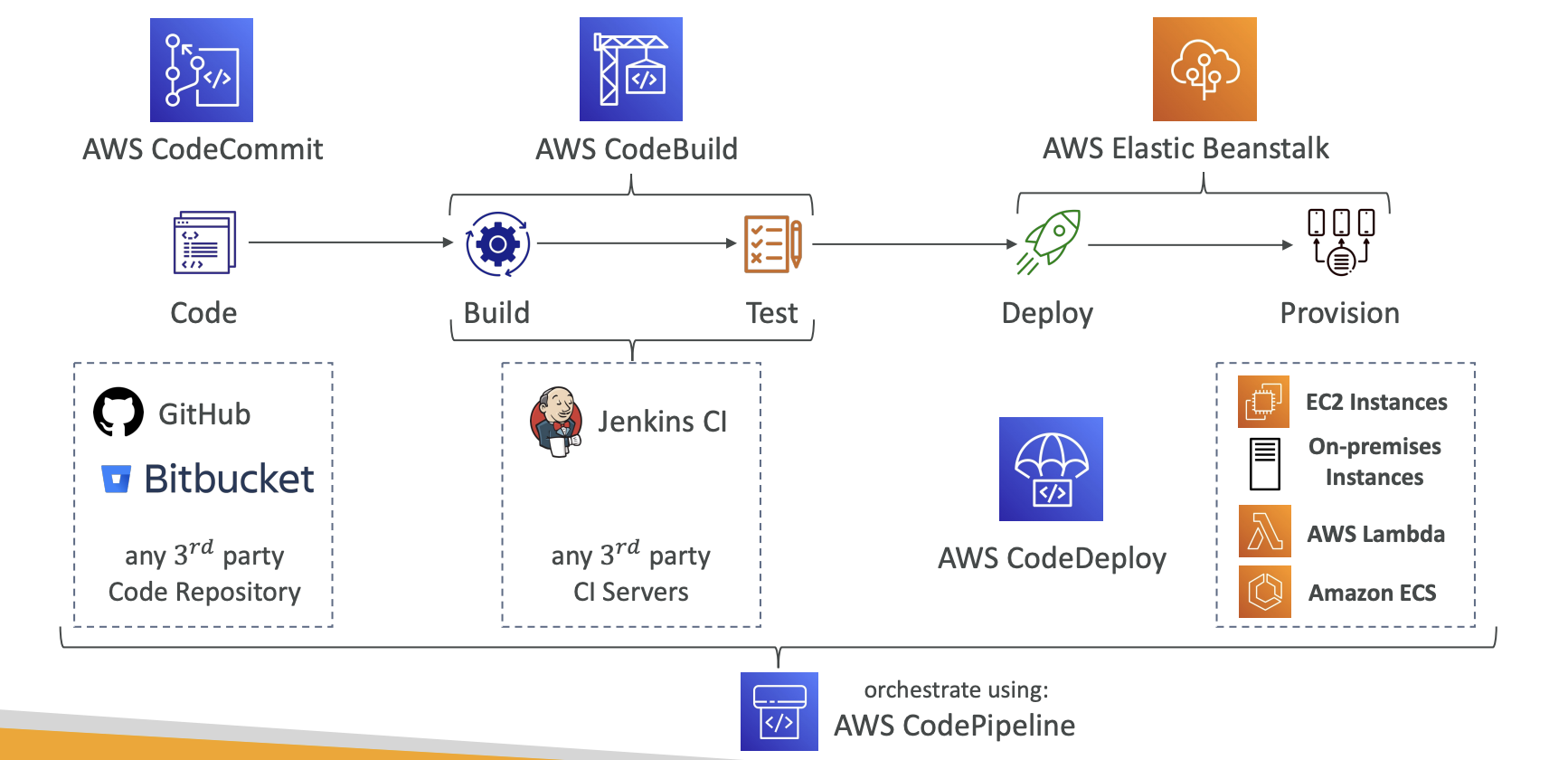
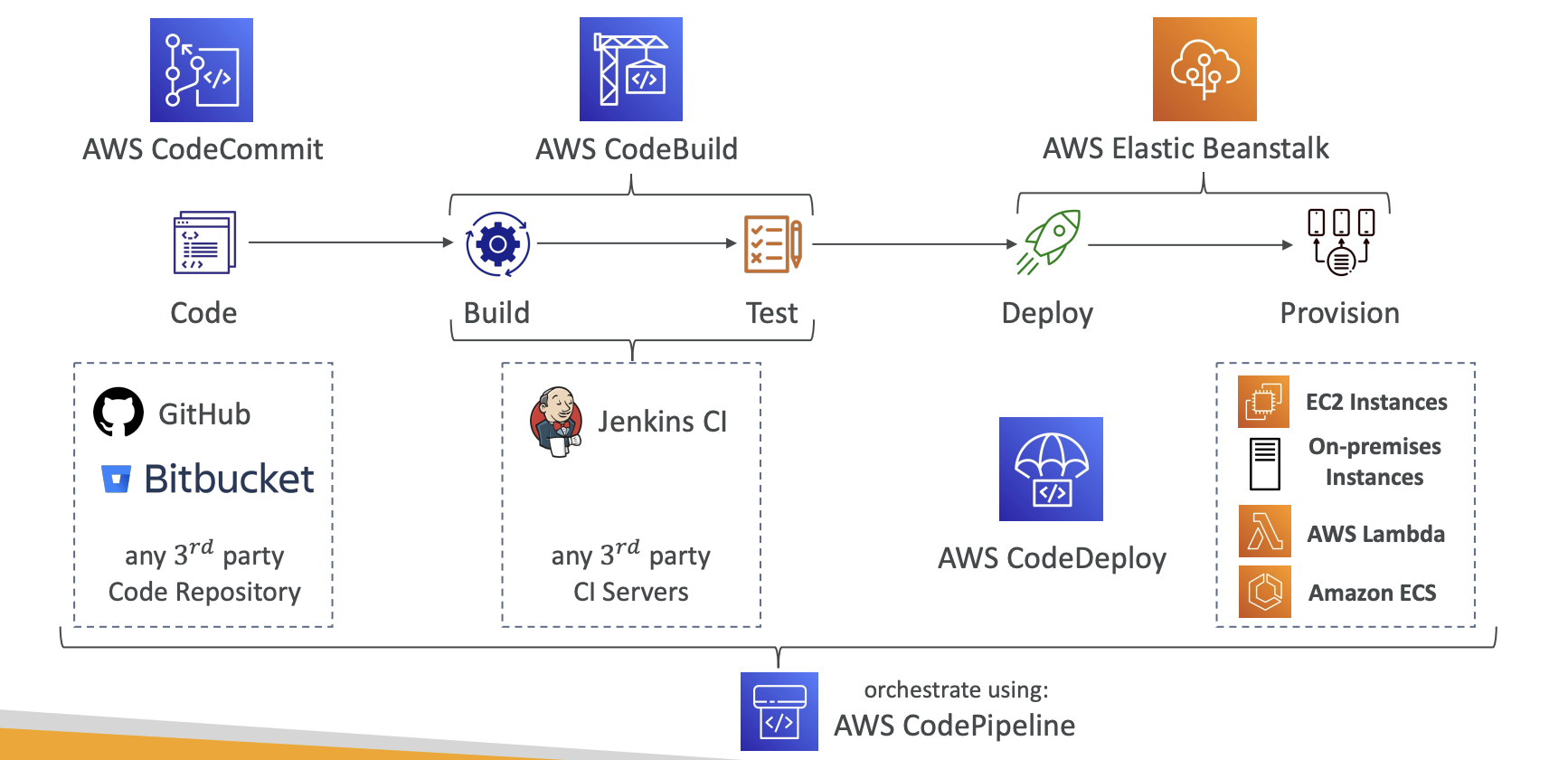
AWS CodePipeline
-
CICD orchestraction
-
visual workflow
-
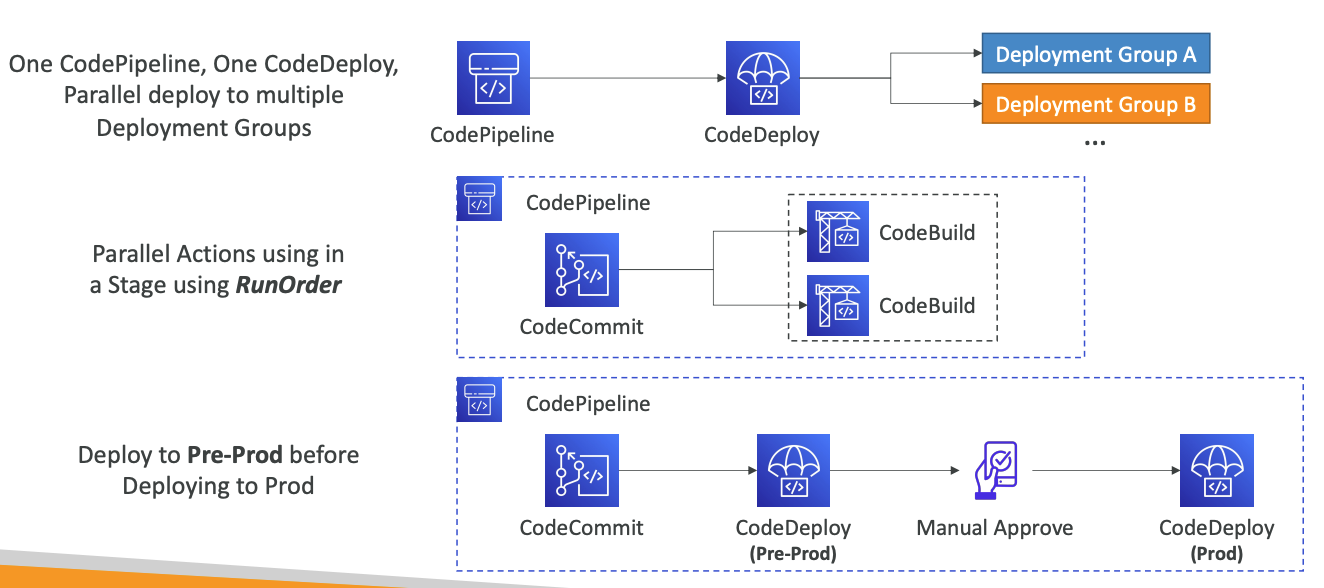
controls codes from source, build, test, deploy, and invoke, with possible manual approval defined at any stage
-
each stage builds and puts artifacts into S3, and pass to next stage
-
CloudWatch Events (Amazon EventBridge) used for event triggering
- falied pipeline? cancelled stages? etc
-
stops when a stage fails
-
IAM permission and service role configuration are used for authorization
-
AWS CloudTrail used for AWS API call audits
-
Events vs. Webhooks vs. Polling
-
Manual approval: SNS -> email -> IAM user
- Needs IAM permissions: codepipeline/GetPipeline* and codepipeline/PutApprovalResult
-
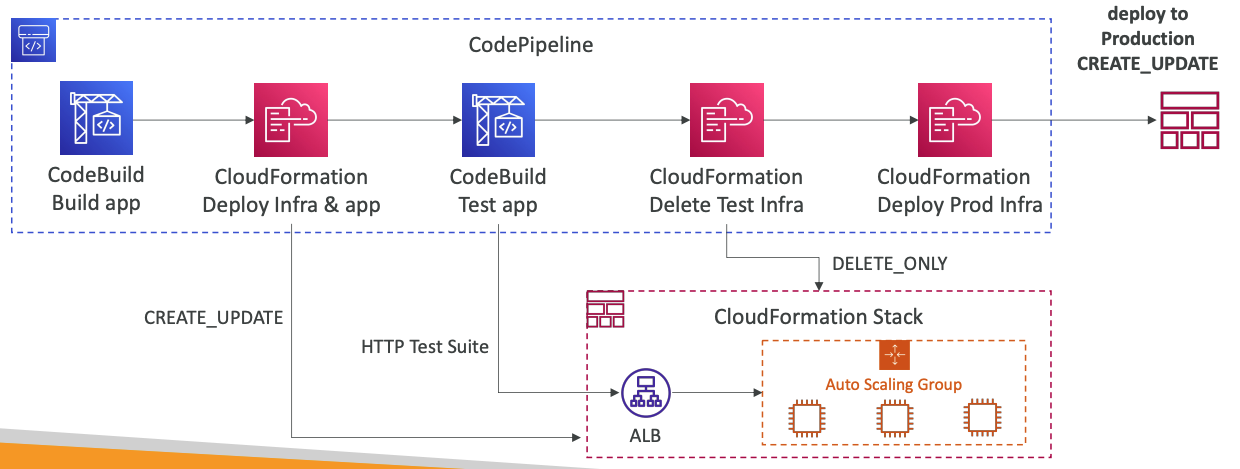
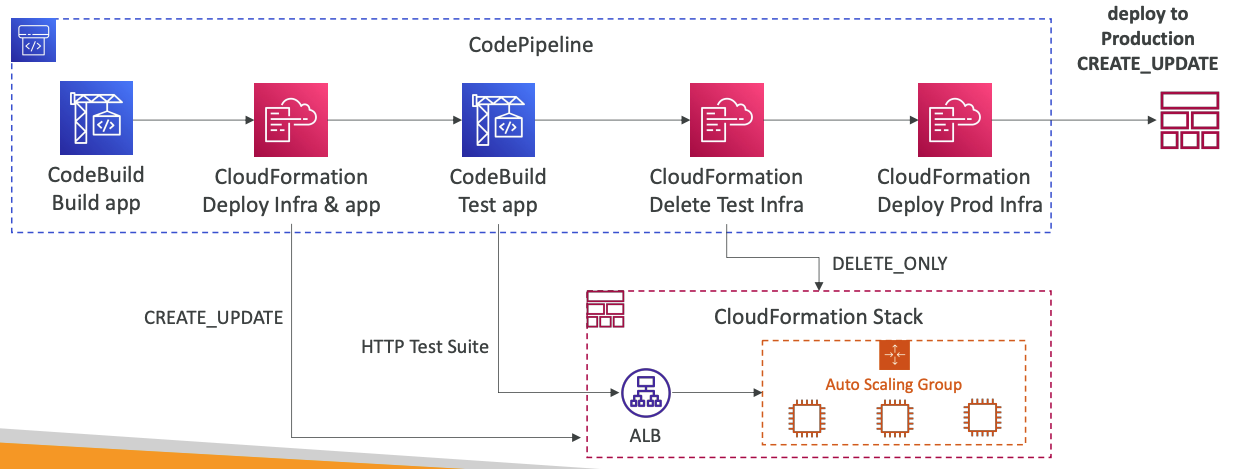
CloudFormation Deploy Action -> deploy AWS resources
- CREATE_UPDATE, DELETE_ONLY
-
-
Best practices
-
AWS CodeBuild
-
continuous scaling, no build queue
-
compile, run tests, generate packages
-
charged per minute for compute resources
-
leverages Docker under the hood for reproducible builds
-
security: KMS, IAM, VPC, CloudTrail
-
buildspec.yml file in repository root is used for build instructions
-
use EventBridge to detect failures and trigger notifications
-
CodeBuild can also be ran locally, if deep troubleshooting is needed, use CodeBuild Agent for this
-
if VPC is needed, specify it with VPC ID, Subnet IDs, Security Group IDs
-
Env vars can be defined statically or dynamically (SSM Parameter Store and Secrets Manager)
-
CodeBuild Service Role: needed to access AWS resources
-
provide options to encrypt the built artifacts
-
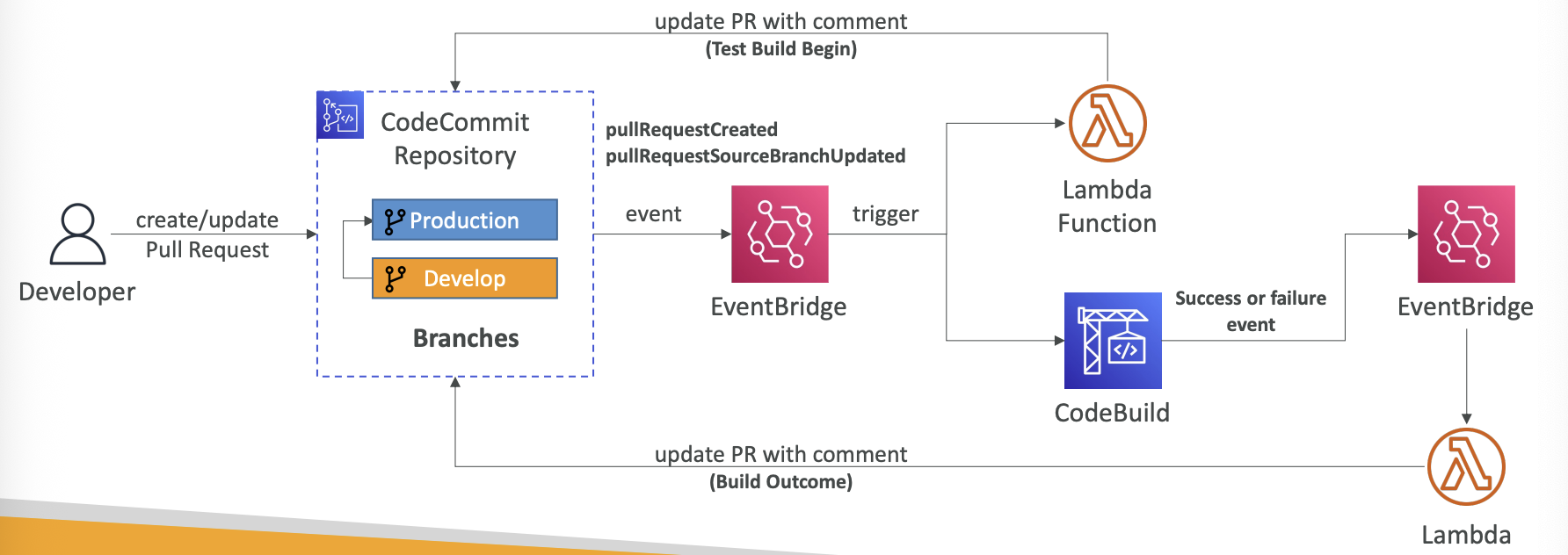
Code build can also validate pull requests:
-
-
Test Report contains details about tests that are run during builds
- test cases needs to create report files in curtain formats: JUnit XML, NUnit XML, NUnit3 XML, etc
Sample buildspec.yml
version: 0.2

env:
  variables:
    JAVA_HOME: "/usr/lib/jvm/java-8-openjdk-amd64"
  parameter-store:
    LOGIN_PASSWORD: /CodeBuild/dockerLoginPassword

phases:
  install:
    commands:
      - echo "Entered the install phase..."
      - apt-get update -y
      - apt-get install -y maven
  pre_build:
    commands:
      - echo "Entered the pre_build phase..."
      - docker login -u User -p $LOGIN_PASSWORD
  build:
    commands:
      - echo "Entered the build phase..."
      - echo "Build started on `date`"
      - mvn install
  post_build:
    commands:
      - echo "Entered the post_build phase..."
      - echo "Build completed on `date`"

artifacts:
  files:
    - target/messageUtil-1.0.jar

cache:
  paths:
    - "/root/.m2/**/*"

reports:
  php-reports:
    files:
      - "reports/php/*.xml"
    file-format: "JUNITXML"
  nunit-reports:
    files:
      - "reports/nunit/*.xml"
    file-format: "NUNITXML"
AWS CodeDeploy
-
deploy to EC2 instances, on-premises servers, lambda functions, ecs services
-
automated rollback capability
-
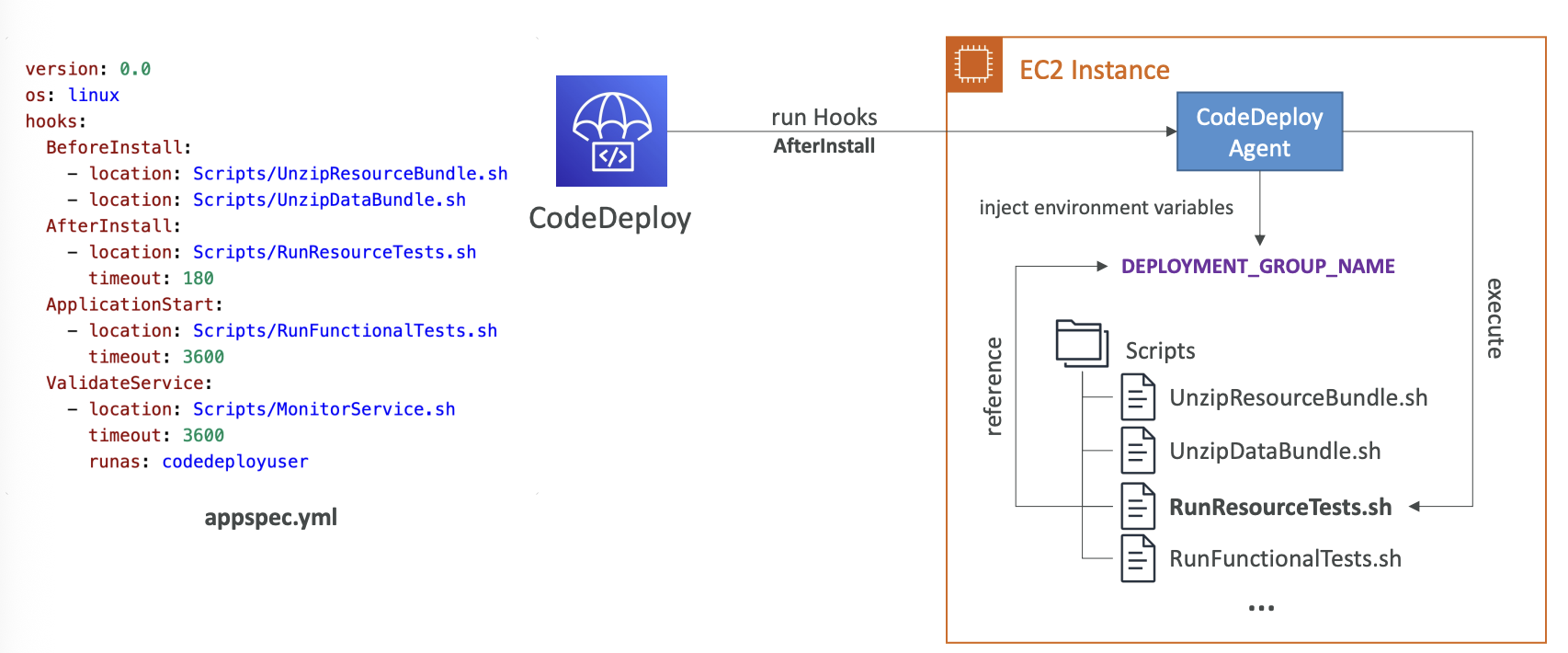
use appspec.yml to define how the deployment happens
-
Deployment Speeds:
- ALlAtOnce
- HalfAtATime
- OneAtATime
- Customer: define your %
-
Blue-Green Deployment
-
To deploy on EC2 or on-premise servers, CodeDeploy Agent must be running on the target environment
-
Lambda Platform deploy strategies
- LambdaLinear|0PercentEvery3Minutes
- LambdaLinear|0PercentEvery10Minutes
- LambdaCanary|0Percent5Minutes
- LambdaCanary|0Percent30Minutes
- AllAtOnce
-
ECS Platform deploy strategies
- ECSLinear|0PercentEvery3Minutes
- ECSLinear|0PercentEvery10Minutes
- ECSCanary|0Percent5Minutes
- ECSCanary|0Percent30Minutes
- AllAtOnce
-
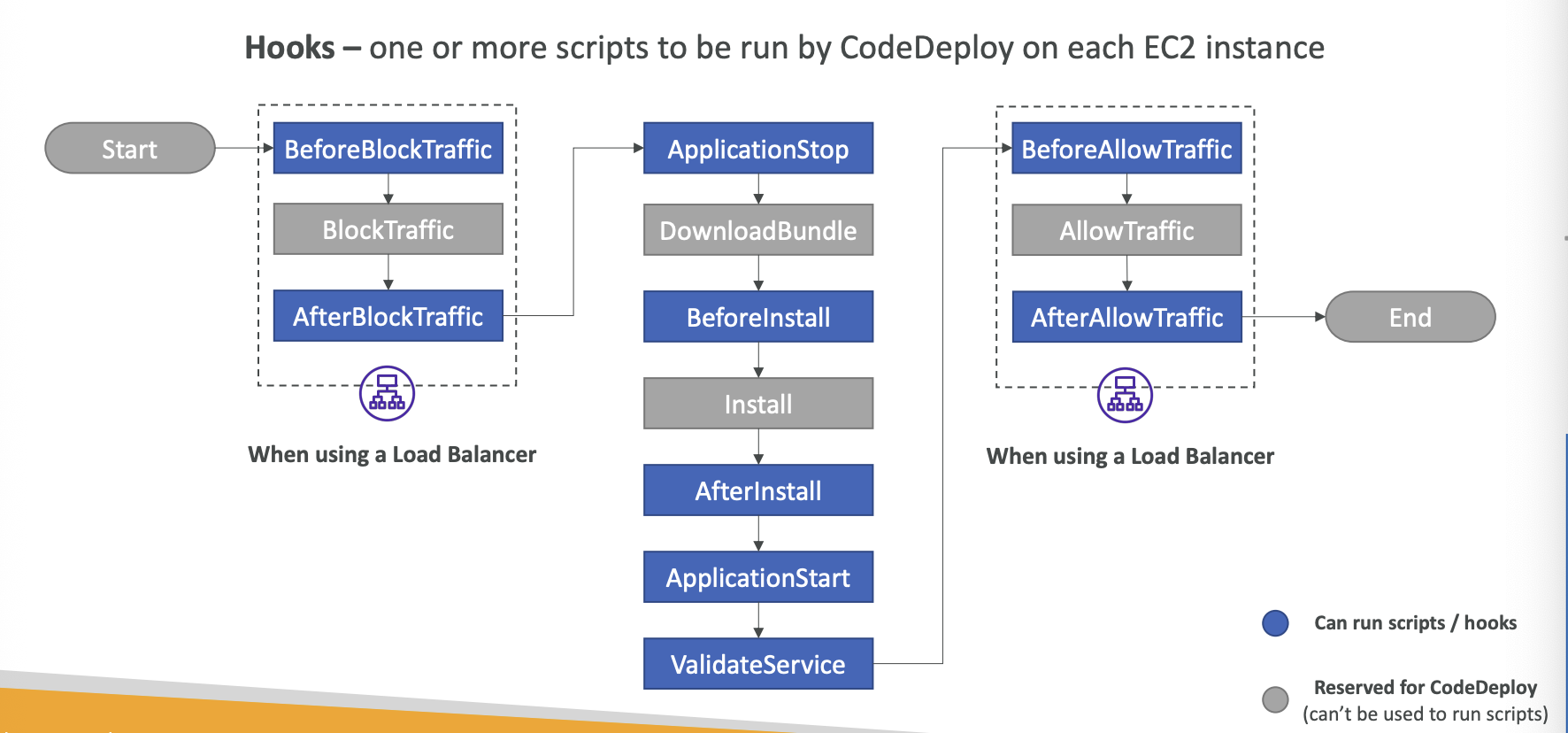
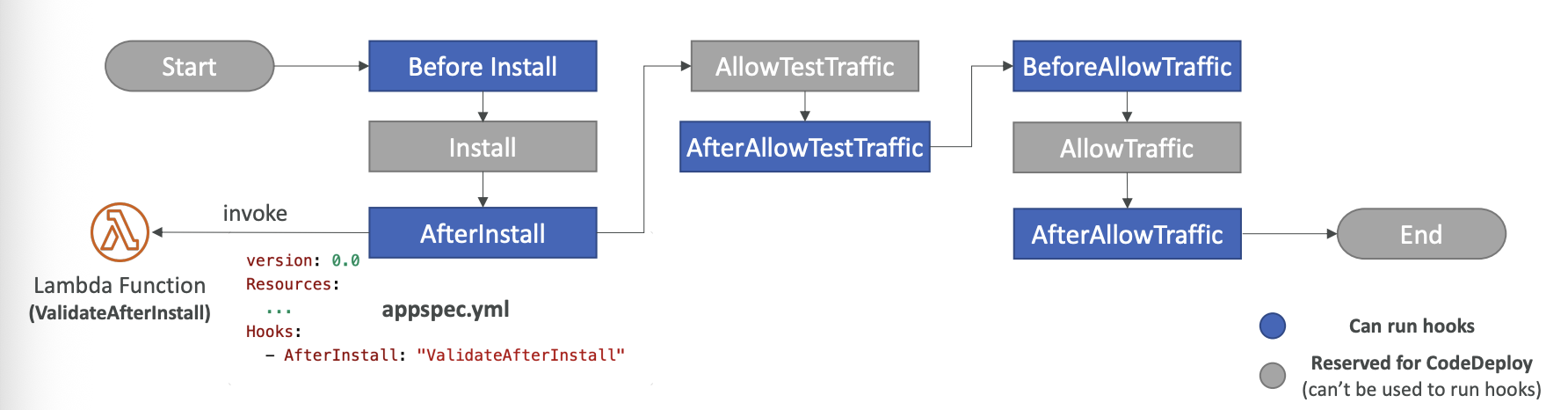
In-place Deployment Hooks
-
-
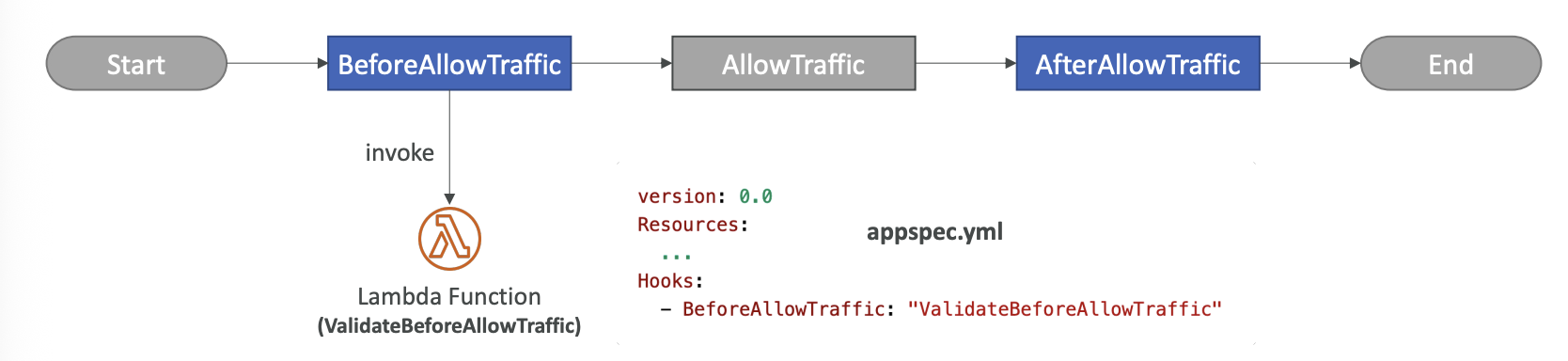
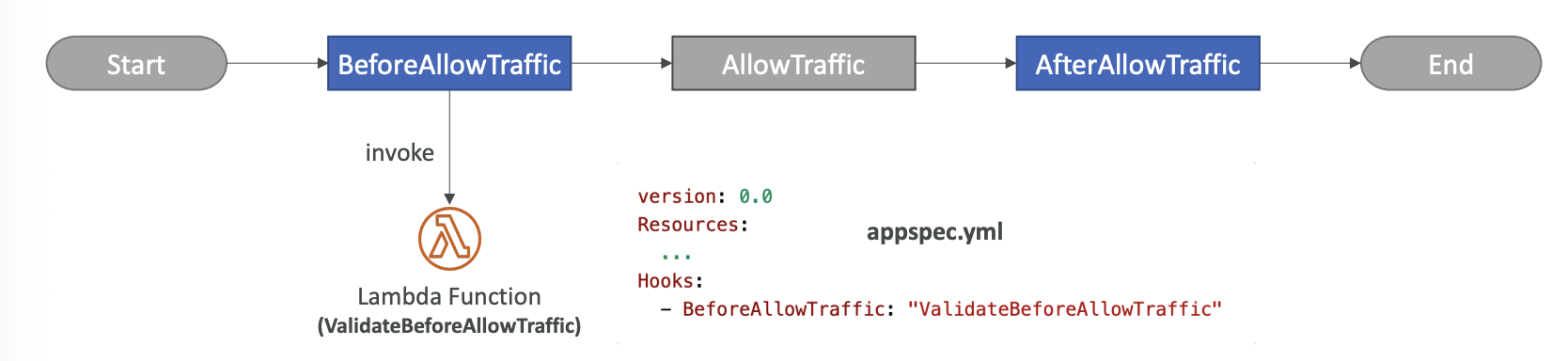
ECS Deployment Hooks
-
-
After a blue-green deployment, termination action can be used to define how to terminate the blue (old) deployment
-
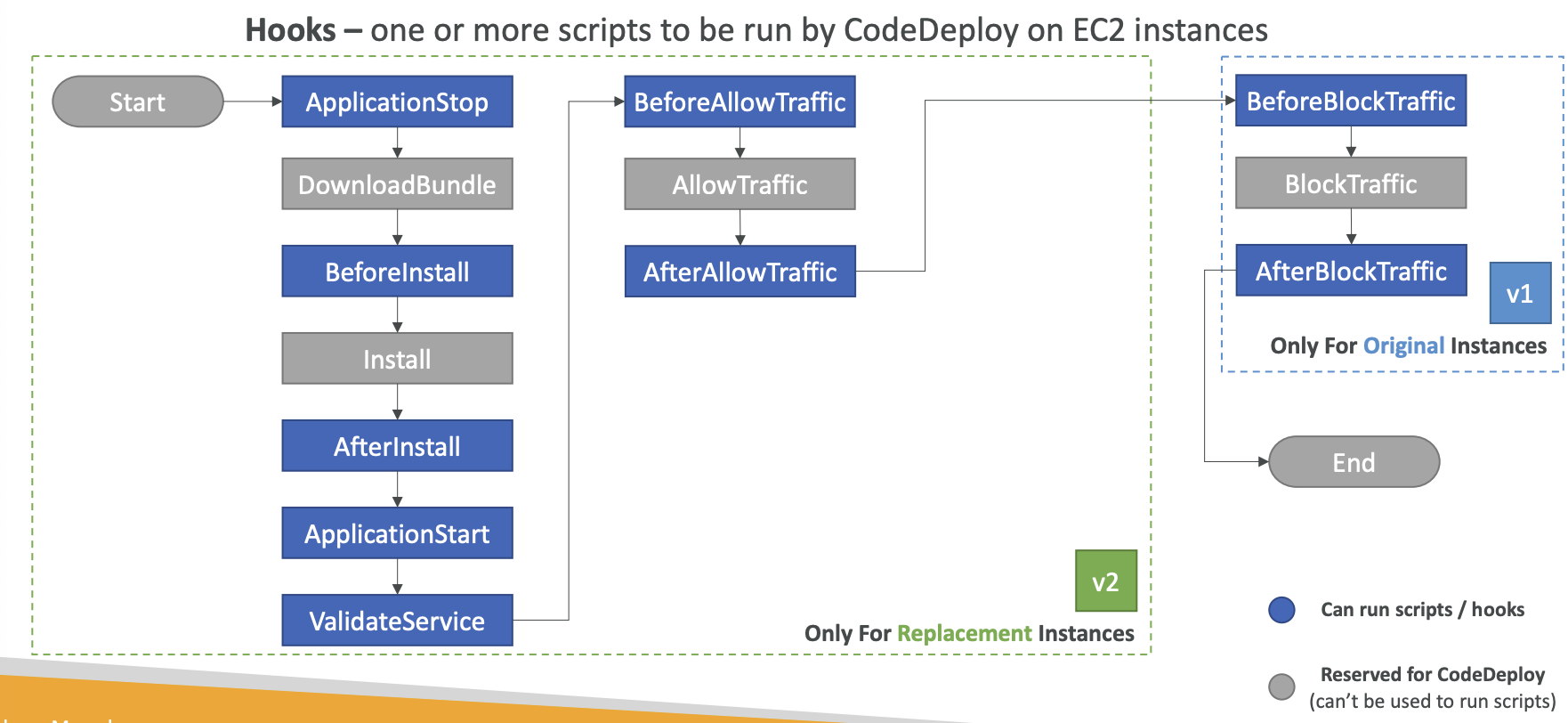
Blue/Green Deployment Hooks:
-
-
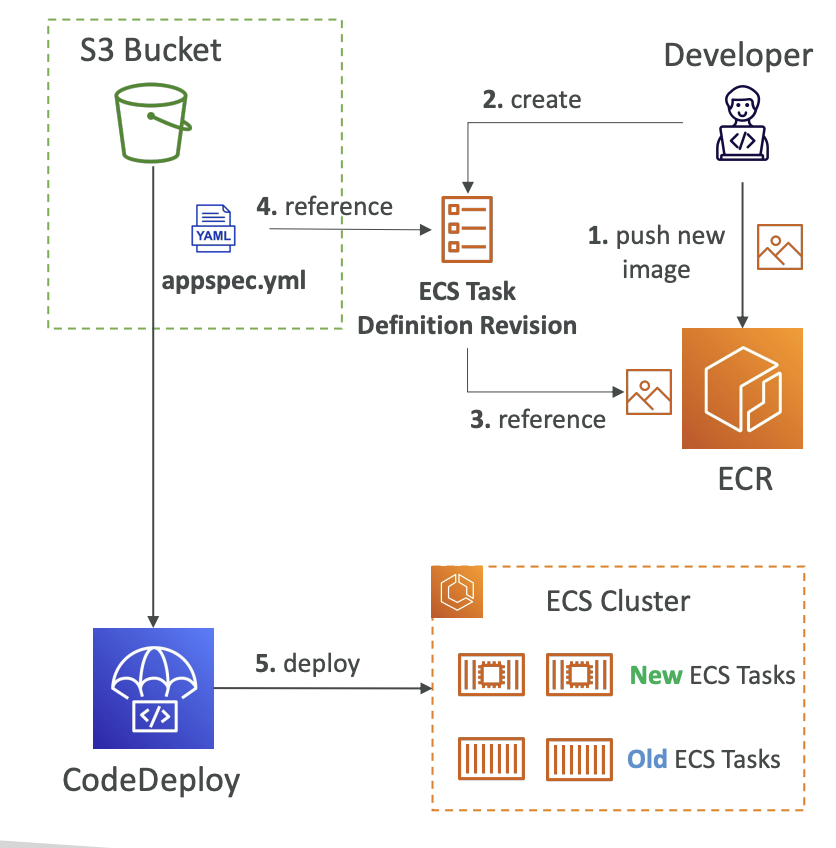
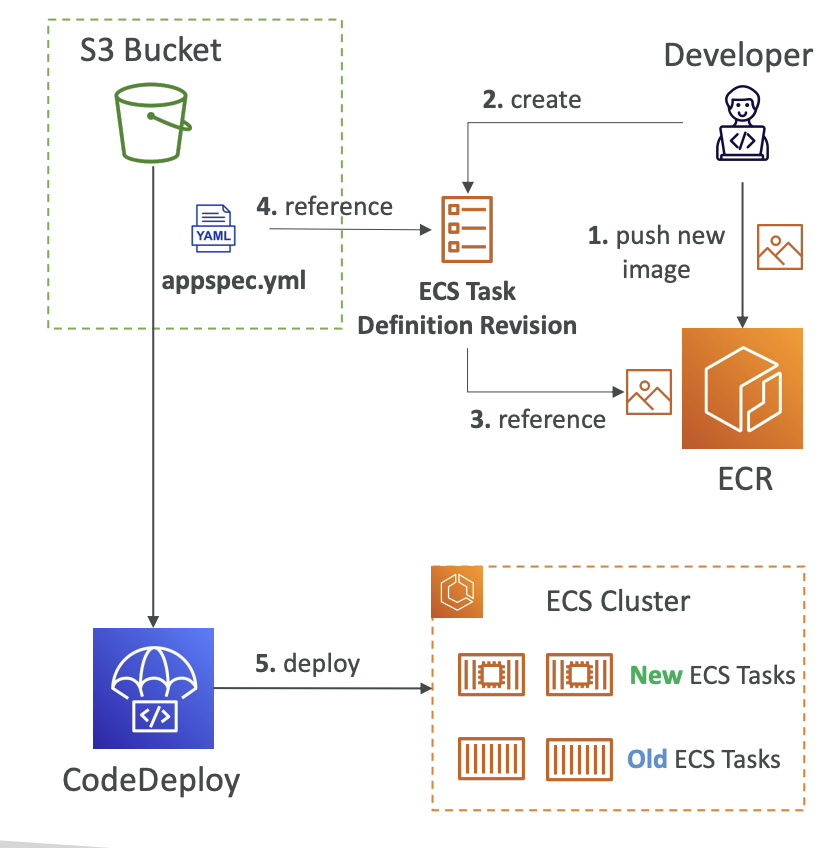
Deployment to ECS
- only supports Blue/Green
- the ECS Task definition and new Container Images (ECR) must be already created
- CodeDeploy Agent is NOT required
-
-
ECS Deployment Hooks
-
-
Deployment to Lambda
- only supports Blue/Green
-
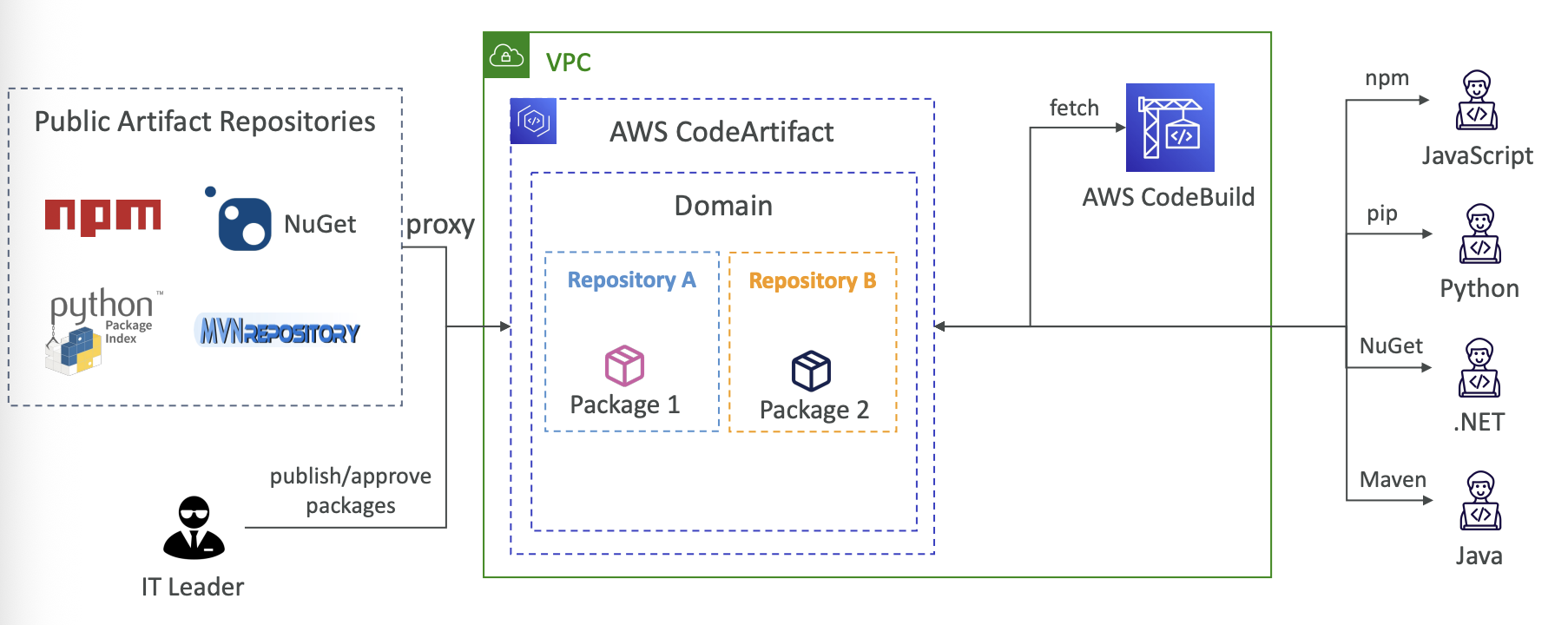
AWS CodeArtifact
-
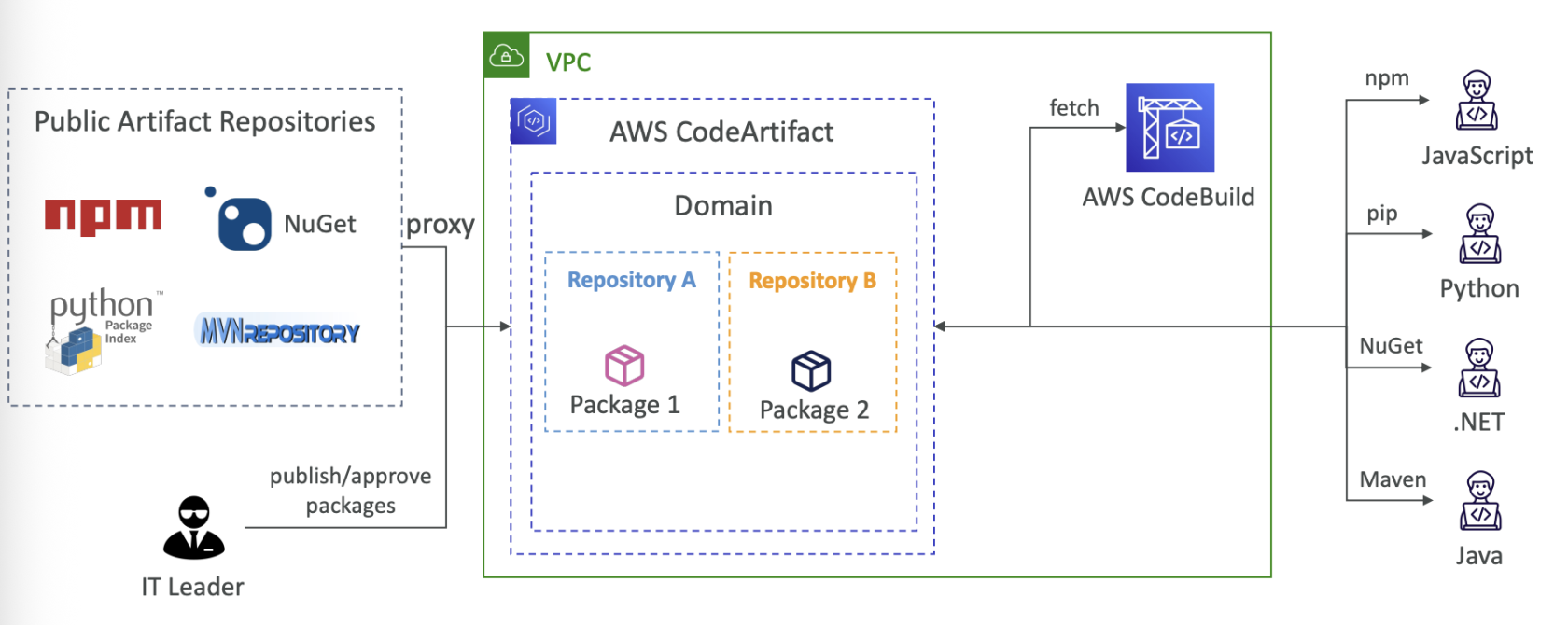
artifacts are code dependencies, storing and retrieving them is called artifact maangement
-
works with common dependency management tools such as Maven, Gradle, npm, yarn, twin, pip, and Nuget
- devs and CodeBuild can then retrieve dependencies straight from CodeArtifact
-
-
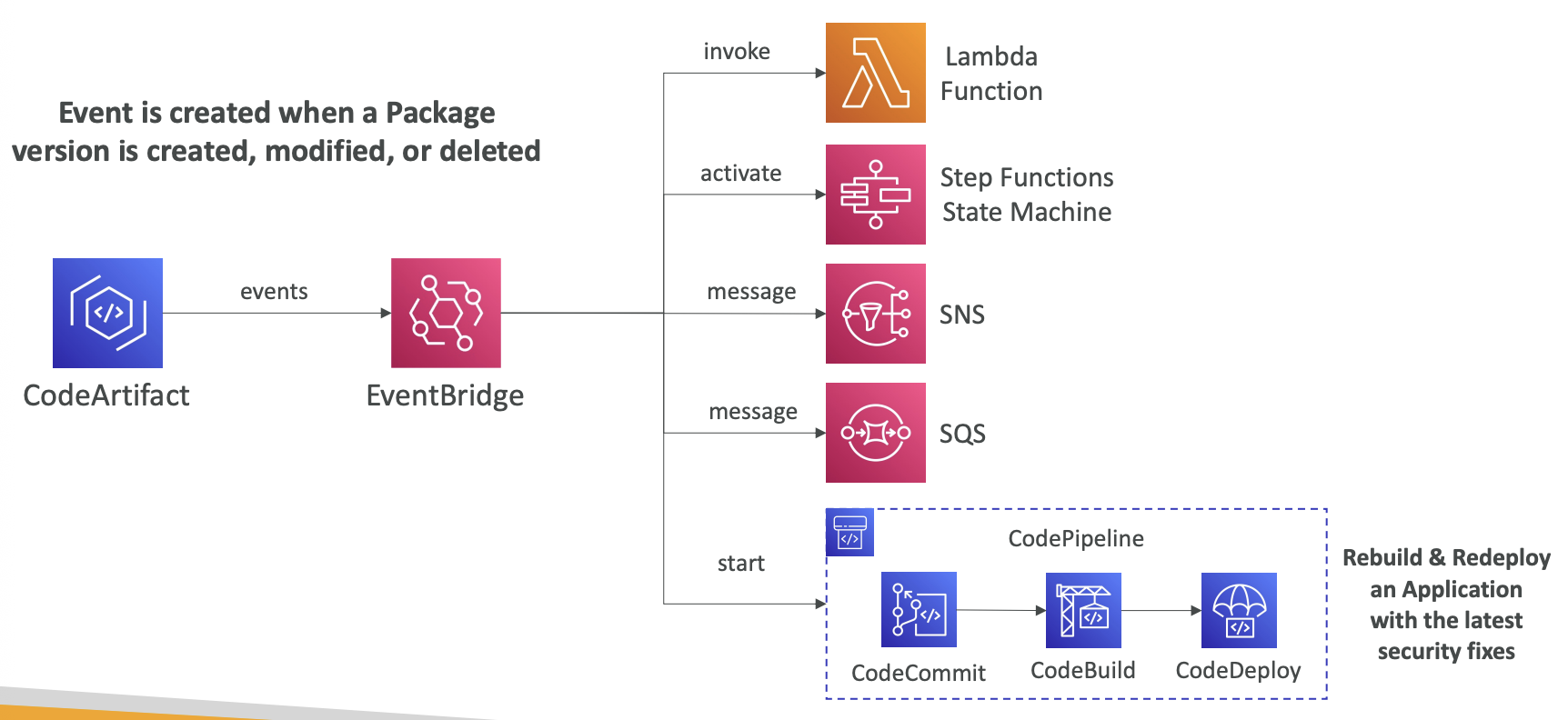
Event is created when a package version is created, modified, or deleted
-
-
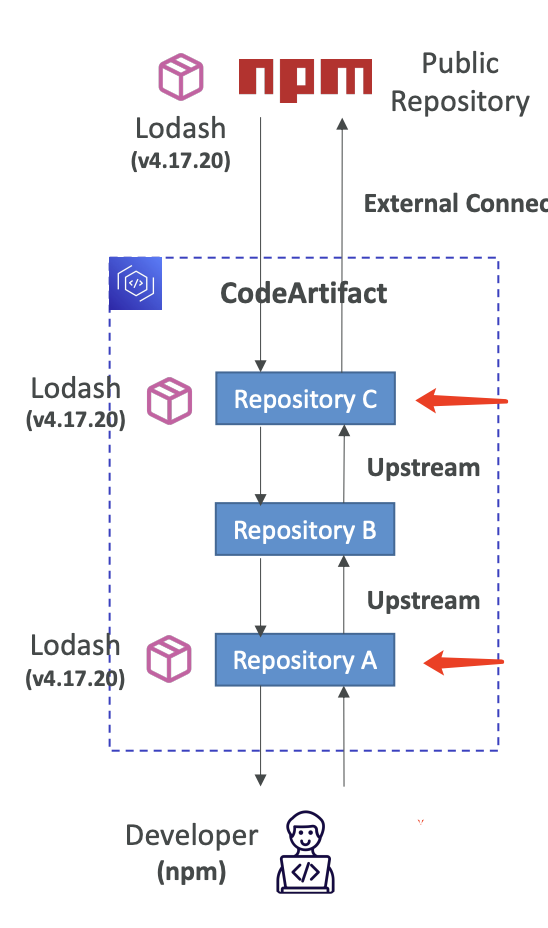
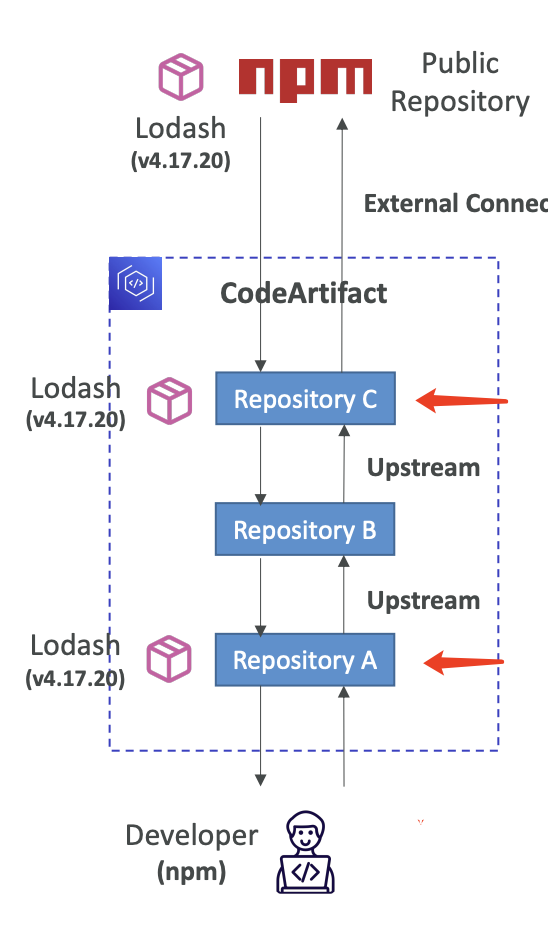
Upstream repositories can be used
- up to 10
- only one external connection
- external packages will not be retened in intermediate repositories
-
-
Domains can be used to group together different CodeArtifact storages, even from different AWS account
- no duplicate storage for artifacts
AWS CodeGuru
- ML-powered service for automated code reviews and application performance recommendations
- CodeGuru Reviewer, and CodeGuru Profiler
- CodeGuru reviewer supports Java and Python
- integrates with GitHub, Bitbucket, and AWS CodeCommit
- CodeGuru Reviewer secrets detector
- CodeGuru Profiler can be triggered on lambda function with Function Decorator, or Lambda function configuration
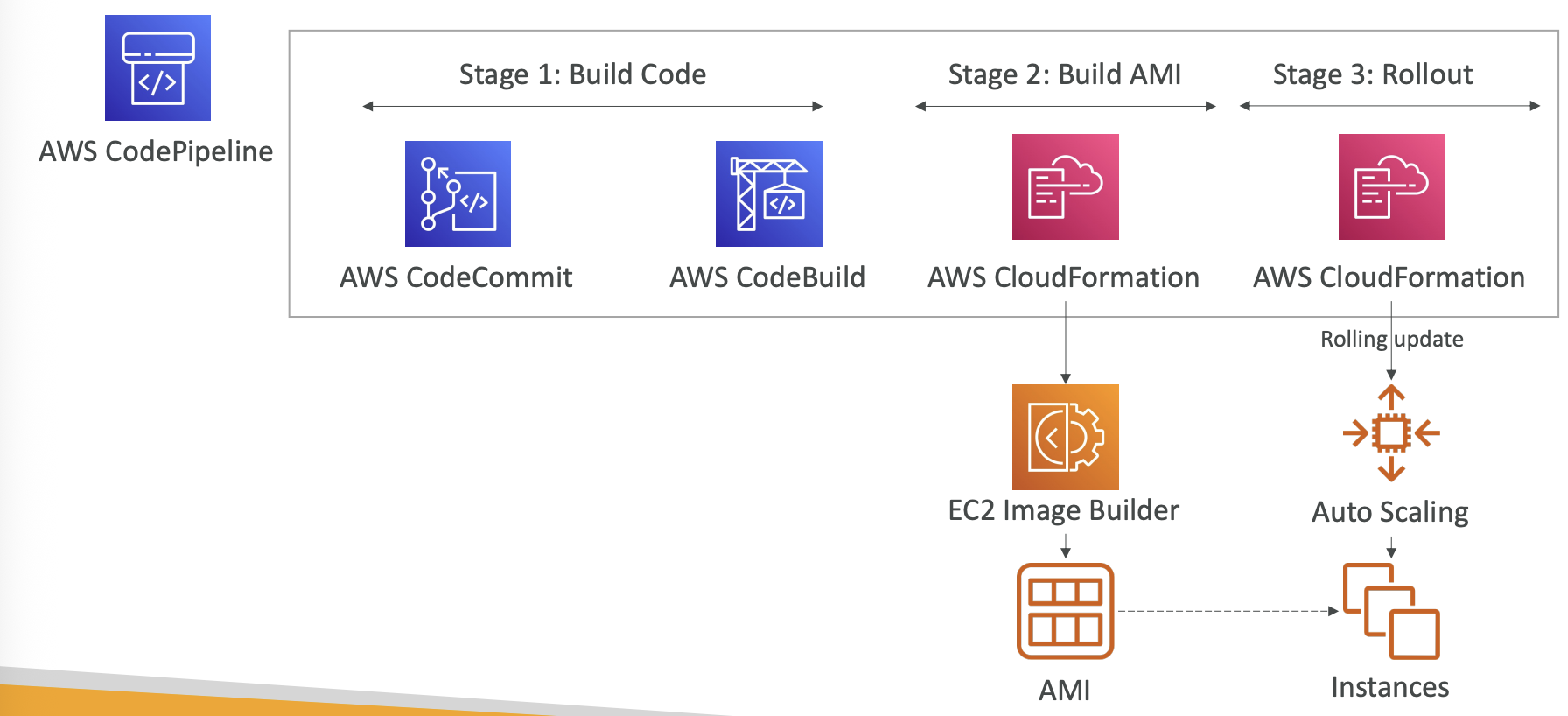
AWS EC2 Image Builder
-
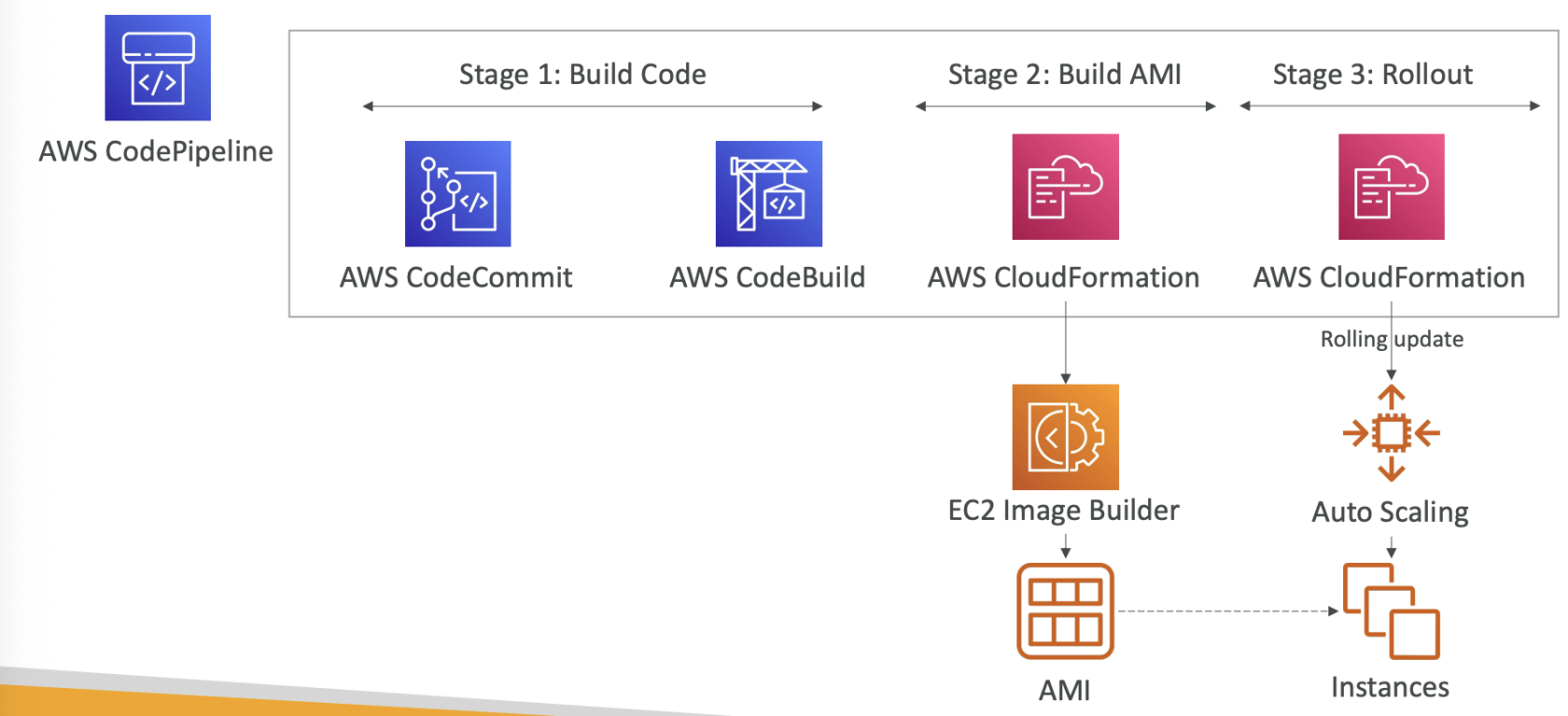
- EC2 Image Builder can share using RAM
- share images, recipes, and components across AWS accounts or through AWS Organization
AWS Amplify
- web and mobile applications
CloudFormation
- templates must be uploaded to S3